


Video Collage Maker:Mix Videos
4.61.36K Reviews
App Specs
- Version
- 16.6.4
- Updated On
- License
- Free
- Downloads
- 5,000,000+
- Developer
- Momentic Apps
- Categories
- Video Players & Editors
- Platform
- Android, iOS
Screenshots
 Analysis by AppCompare
I like the idea behind Video Collage Maker: Mix Videos: instead of choosing one clip or photo from a busy camera roll, I can bring several moments together in a single composition. That makes it useful for quick recaps, especially when the point is to show how a day unfolded rather than polish one clip into a full production. It is a free app in the video editing category, made by Momentic Apps, and its focus is straightforward: combine photos and videos into a collage.
A good fit for moments that belong together
The app makes most sense when I already know the small story I want to tell. A handful of clips from a picnic, a birthday, or a walk through a new place can feel more complete side by side than as a string of separate posts. The collage format also helps when different people captured different parts of the same event: I can bring those perspectives into one shareable piece instead of asking friends to watch several unrelated uploads.
For a realistic everyday example, imagine sorting through a weekend trip on the ride home. I might pick a short landscape clip, a meal photo, and a few moments with friends, then arrange them as a compact recap. That approach is more thoughtful than posting every file, yet it does not require me to plan a polished edit in advance. The app is best for this kind of quick visual summary, not for replacing a complete editing suite.
Getting Started with Video Collage Maker
So, you’ve downloaded Video Collage Maker: Mix Videos and are ready to dive into the world of creative video collages. The first thing you'll notice is the app's user-friendly interface. Everything is laid out pretty intuitively, so you don't need to be a tech wizard to get going. Just fire up the app and you’re greeted with options to create either a video or a photo collage.
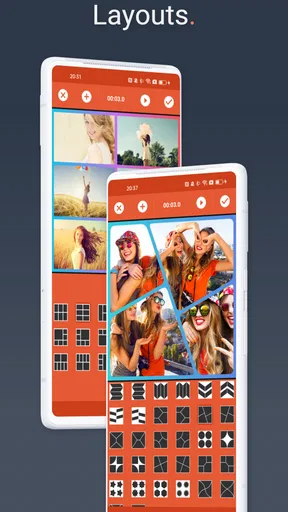
The setup process is straightforward. Once you choose your collage type, you can select from a variety of templates. There are loads to choose from, whether you want something simple or a bit more intricate. And hey, if you’re someone who likes to keep things fresh, the app updates regularly with new templates, keeping your collages looking unique and up-to-date.
Choosing a layout with a purpose
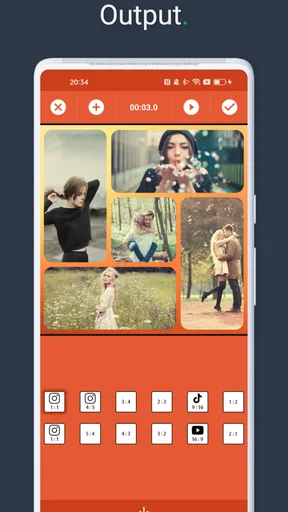
Templates are more than decoration: they determine what the viewer notices first. When I have one strong clip and a few supporting details, a layout that gives the main moment more space usually tells the story better than treating every tile equally. For a set of equally important snapshots, a balanced grid feels fairer. I’d choose the layout before spending time on filters or text, because the arrangement is the decision that most affects how the collage reads.
There is a trade-off to keep in mind with any collage maker. Several moving images compete for attention, and small panels can make action hard to follow on a phone screen. I would avoid putting a key detail in a tiny tile or combining clips that all have busy movement. A quieter mix—one moving scene with still photos, for example—can make the finished piece easier to understand without adding extra editing work.
Worth Reading Before You Choose

EA SPORTS FC Mobile 26 Is a Bigger Football Game, but It Takes Time

Flipboard Shows What News Apps Must Do Beyond the Feed

Switching to Android Auto Means Rethinking Your Driving Routine

Google Calendar Makes a Crowded Week Easier to Manage

Ludo King Makes the Most of the Minutes Between Plans

Baby Panda World Brings Quick Play to Modern Phones, but Its Game Library Feels Busy
The Creative Process
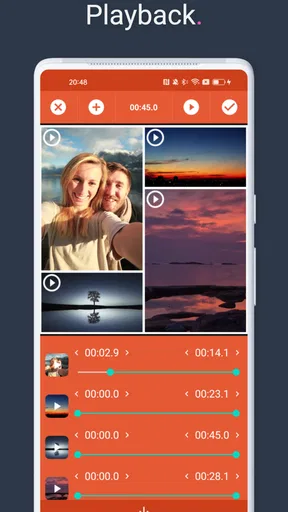
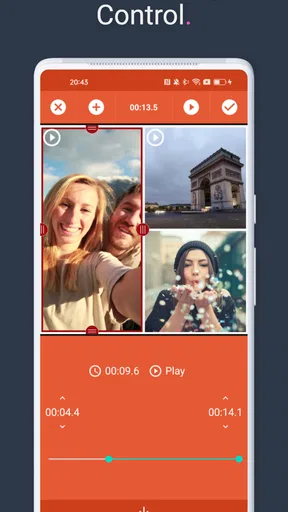
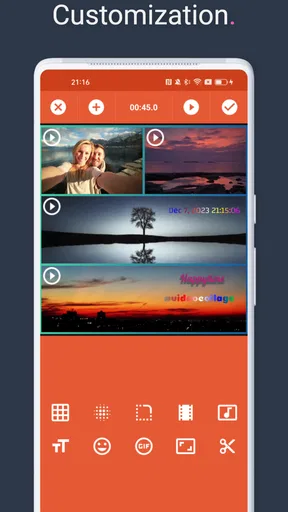
Now, this is where the magic happens. You get to mix and match your videos and photos into a single, seamless collage. The app supports various media formats, so you’re not limited to just one type. You can add up to 10 videos in one collage, which is perfect for those epic travel highlights or even just a fun day out with friends.
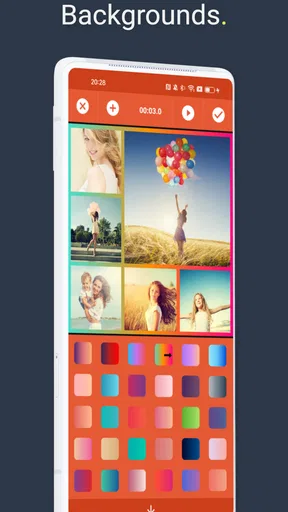
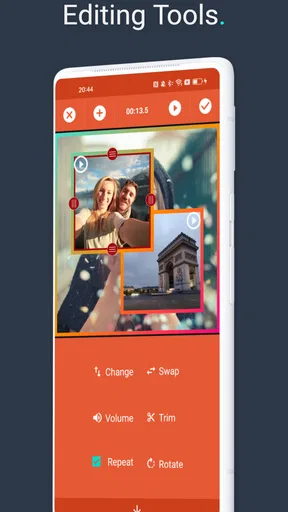
Editing is a breeze. You can trim videos, adjust speeds, and even add filters. The filters are pretty nifty and can give your video that extra oomph. Plus, the app lets you add music directly from your library or choose from its built-in tracks. This is where your collage truly comes to life. Imagine syncing your favorite song with those summer beach clips—pure magic!
Making a first pass, then tightening it
My practical advice is to select fewer, better moments before building the collage. The limit of up to ten videos gives room for a fuller recap, but using every available slot does not automatically make the result stronger. I would start with clips that show different parts of the event, trim away the lead-in and dead time, and then preview the overall balance. If two clips communicate almost the same thing, keeping one often makes the composition clearer.
Speed changes can help a short montage feel brisk, but I would use them selectively. A brief change can add energy to a lively sequence; applying it indiscriminately can make a personal moment feel rushed. Filters deserve similar restraint. A consistent look across mixed photos and clips can help them feel like one piece, while several competing treatments may draw attention away from the memories themselves.
Music is another choice to make with the intended audience in mind. A track from the library can make a collage feel finished quickly, while music from my own collection can give it a more personal connection. Either way, I would listen through the result before sharing: the sound should support the images rather than overwhelm them. If the original clips already have important speech or ambient sound, adding a song may change what the viewer can hear, so I would decide which matters more for that particular recap.
When a collage is the wrong format
This is not the tool I would reach for when a project needs a carefully paced narrative, detailed audio work, or fine control over a longer edit. A conventional timeline editor is usually a better choice for arranging many scenes in a precise sequence, building a layered soundtrack, or making a video where every cut needs to land at a particular moment. Here, the appeal is the collage itself: several visual moments sharing one frame, with accessible adjustments around them.
It may also be less suitable if the main goal is to publish one clip exactly as captured. A collage changes the viewing experience by dividing attention among multiple pieces of media. For a single important speech, performance, or landscape shot, a regular video editor—or simply sharing the original—will preserve the focus better. I see this app as a companion for a particular kind of creative output, rather than a universal answer to every editing task.
Sharing Your Masterpiece
Once your collage is ready, sharing it is a piece of cake. You can export your creation in high-quality and directly share it to your social media platforms. The app supports direct sharing to Instagram, Facebook, and even TikTok. It’s a one-stop-shop for turning your memories into shareable moments.
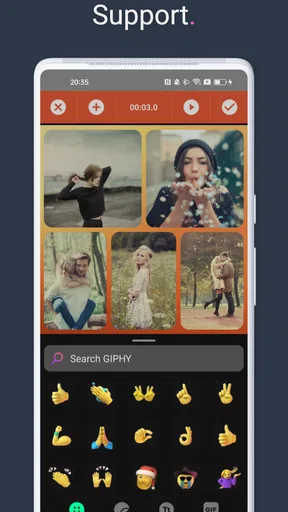
And for those of you who love a bit of customization, the app allows you to add text and stickers. These features are perfect for adding a personal touch or a funny tagline. Trust me, your friends will appreciate your newfound creativity.
A useful check before handoff
Before exporting, I would watch the whole collage once as if I were seeing it for the first time. Check that the first moments make the subject clear, that the trims do not cut off the action, and that text or stickers do not cover the detail people should notice. This small review is especially worthwhile when a collage mixes portrait and landscape material: the composition may feel different once several sources share the screen.
Direct sharing is convenient when I want to post promptly, but I would still treat export as a handoff point rather than assume every destination will present the work identically. If I care about how a post appears, I would review it in the destination app before publishing. For a private keepsake or a version I may reuse, saving the finished file for later is a more flexible workflow than immediately treating a social post as the only copy.
Cost, access, and expectations
The app is free to download, with optional in-app purchases ranging from $0.99 to $199.99 per item. That wide range is a reason to check what an individual purchase covers before committing; I would not assume every useful workflow requires a purchase, or that every item is relevant to my needs. Its Everyone age rating makes it broadly suitable from a content-rating perspective, though younger users may still need an adult’s help deciding about purchases and sharing personal photos online.
It has a 4.7 average from around 84,000 ratings, and more than five million installs. Those figures suggest that many people have found a reason to try it, but they cannot tell me whether its collage-first approach matches a particular project. The more useful question is whether I often want several photos and videos to appear together. If the answer is yes, a focused tool can save time; if I mostly edit single clips, the familiar timeline approach may suit me better.
Why You'll Love It
What makes Video Collage Maker: Mix Videos stand out is its ease of use combined with powerful features. It’s not just about making collages; it’s about telling stories. Whether it’s a birthday party, a holiday adventure, or just a day in the park, this app helps you showcase your moments in a way that’s both artistic and engaging.
And let’s not forget about the app’s performance. It runs smoothly without hiccups, even when working with high-resolution videos. This is crucial because no one likes waiting around for their edits to process. The app’s developers seem to have nailed the balance between functionality and user experience.
Another thing to love is the app’s ongoing updates. The developers are active and seem to listen to user feedback, which is always a great sign. You can expect new features and improvements rolling out consistently, keeping your creative toolkit fresh and exciting.
Who should give it a try
I would recommend it to someone who likes sharing compact recaps, wants to combine photos with motion, and prefers choosing a template over constructing every detail from scratch. It also suits casual creators who want a result that feels more composed than a camera-roll dump but do not need the controls of a full editing workstation. The current version is 13.6.1, and it requires Android 8.0 or later, so checking device compatibility is a sensible first step for Android users.
On the other hand, creators who need detailed timeline control, complex sound mixing, or a highly precise branded layout should compare it with more comprehensive video editors before settling on a workflow. A design-focused collage tool may also be preferable when the deliverable is a static graphic rather than a video-led composition. The choice comes down to whether the app’s central format—multiple photos and videos arranged together—is the format the project actually needs.
In conclusion, if you're someone who loves capturing life’s best moments and sharing them in a creative way, Video Collage Maker: Mix Videos is definitely worth checking out. It’s like having a mini editing studio right in your pocket. So go ahead, unleash your inner artist, and start creating some unforgettable collages!
My creator verdict
I would use this app when speed, variety, and a clear collage layout matter more than frame-by-frame precision. Its combination of video and photo collages, templates, trimming, speed adjustments, filters, music, text, stickers, and direct sharing gives a casual project several ways to feel personal without turning it into a large editing job. The best results will come from choosing a clear subject, limiting repetition, and checking the final composition before it leaves the app.
That focus is also its boundary. It cannot make a collage feel uncluttered if I pack in too many competing moments, and it is not the option I would choose for a tightly controlled long-form edit. But for a quick, shareable snapshot of a day that deserves more than one frame, I think it is a practical place to start—and an easy recommendation to a friend who wants to make memories feel connected rather than simply collected.
Pros
- Easy-to-use interface for quick edits.
- Wide variety of collage templates.
- Supports multiple video formats.
- High-quality export options available.
- Includes fun stickers and effects.
Cons
- Limited free version features.
- Occasional in-app ads can disrupt.
- Requires internet for some features.
- Heavy on battery usage during edits.
- No option for manual collage sizing.
FAQs for Video Collage Maker:Mix Videos
What features does Video Collage Maker: Mix Videos offer?
Video Collage Maker: Mix Videos allows users to combine multiple video clips into one cohesive collage. It offers a variety of customizable templates, background music options, and editing tools to enhance your creations. Users can also adjust video speeds, apply filters, and add text overlays. The app supports high-definition exports for sharing on social media.
Is Video Collage Maker: Mix Videos user-friendly for beginners?
Yes, Video Collage Maker: Mix Videos is designed with an intuitive interface that is accessible for beginners. The app includes step-by-step tutorials and a simple drag-and-drop feature to help users create impressive collages without any prior editing experience. Its user-friendly design ensures a smooth and enjoyable editing experience.
Are there any in-app purchases or ads in Video Collage Maker: Mix Videos?
While Video Collage Maker: Mix Videos is free to download, it does contain ads that support its free version. For users seeking an ad-free experience, the app offers in-app purchases. These purchases unlock additional features such as premium templates, advanced editing tools, and the option to remove ads for a more seamless experience.
Does Video Collage Maker: Mix Videos support multiple video formats?
Yes, Video Collage Maker: Mix Videos supports a wide range of video formats, ensuring compatibility with most devices and video sources. Users can import videos in formats such as MP4, MOV, AVI, and more. This flexibility allows for easy integration of various clips into a single collage without the need for additional conversion tools.
Can I share my video collages directly from the app?
Absolutely, Video Collage Maker: Mix Videos allows for seamless sharing of your creations. Once you've finished editing your video collage, you can directly export and share it to social media platforms like Instagram, Facebook, and TikTok, or save it to your device. The app supports high-definition exports to ensure your collages look great on any platform.


